
Sort inventory
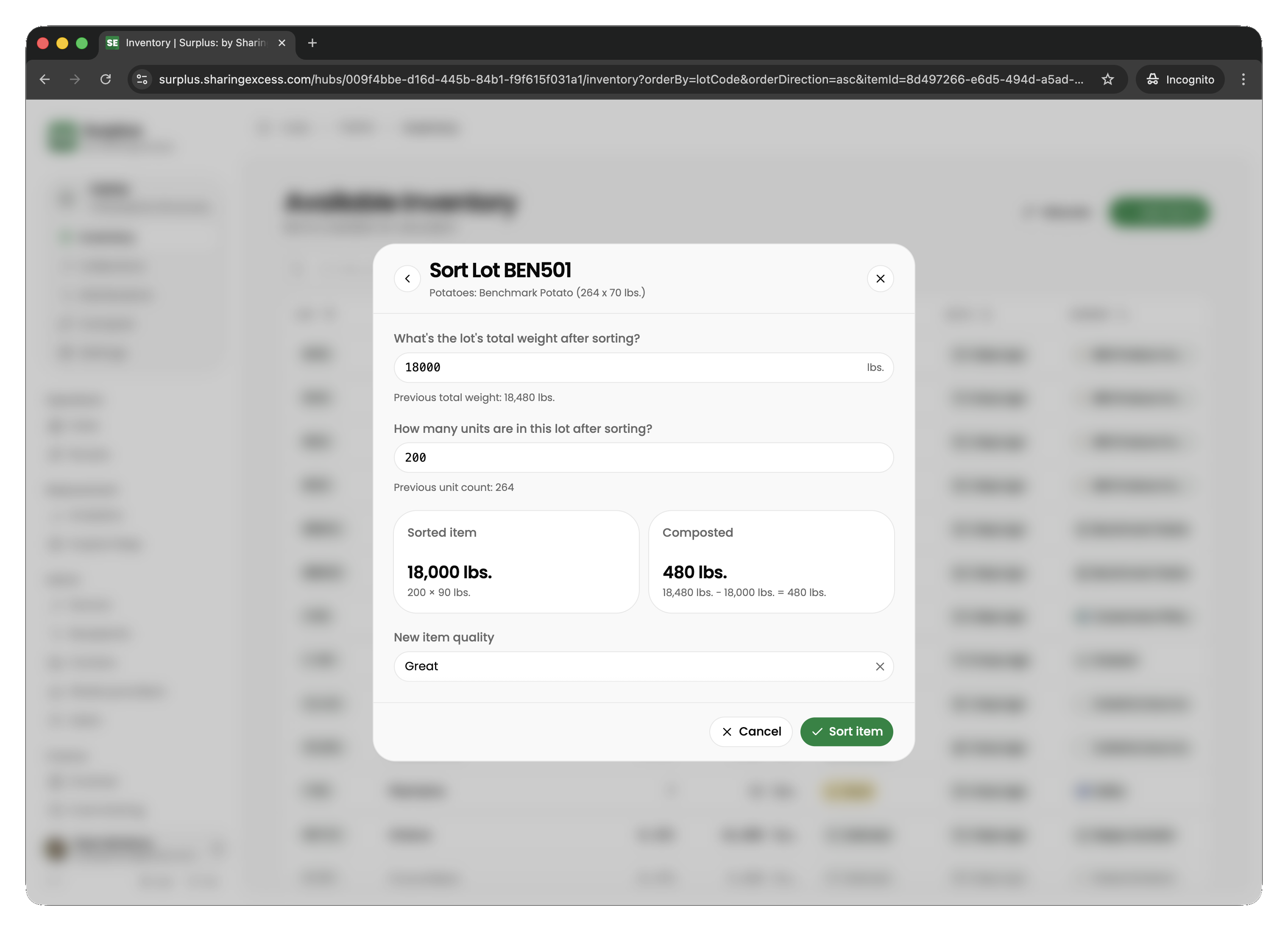
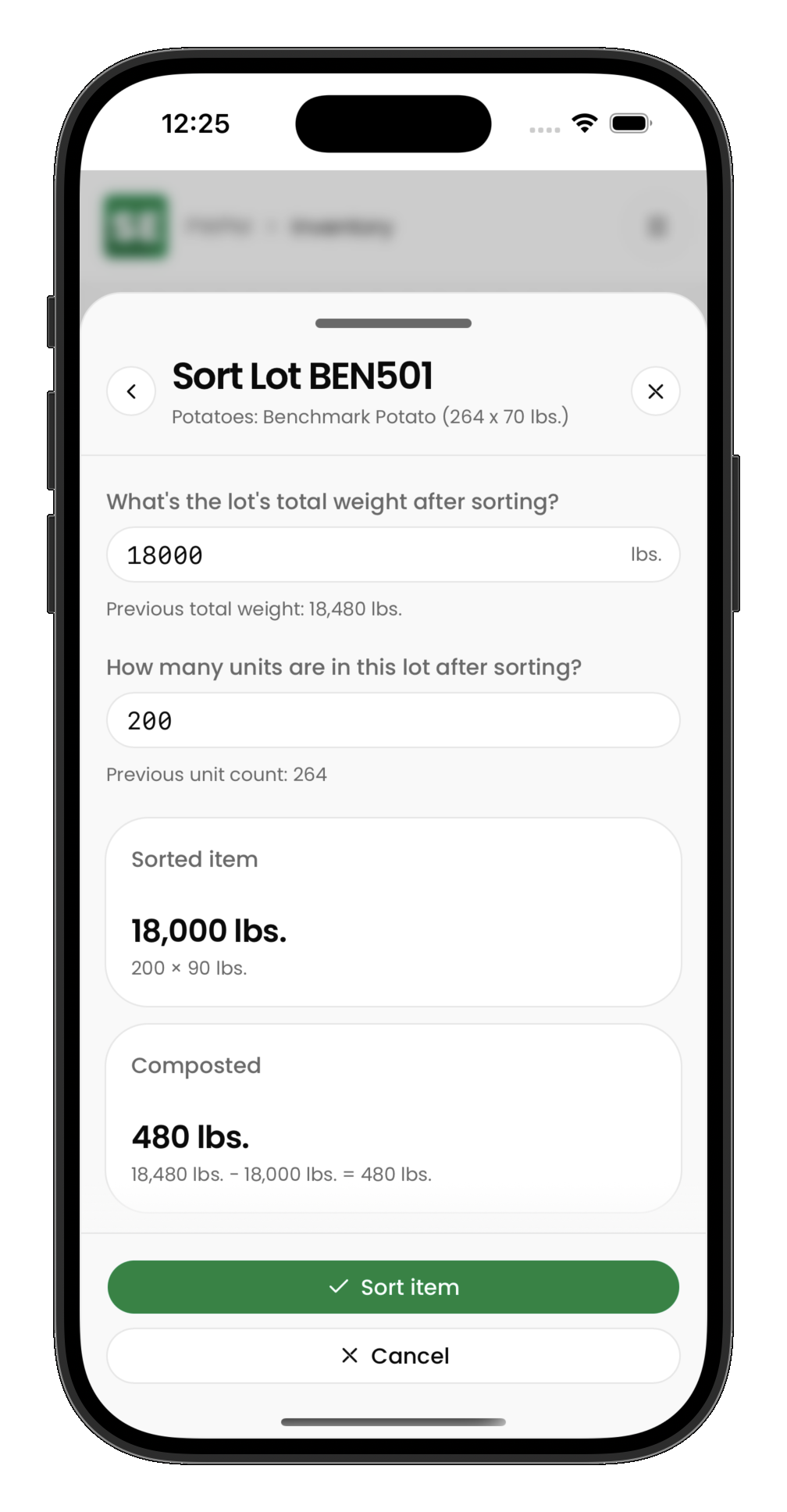
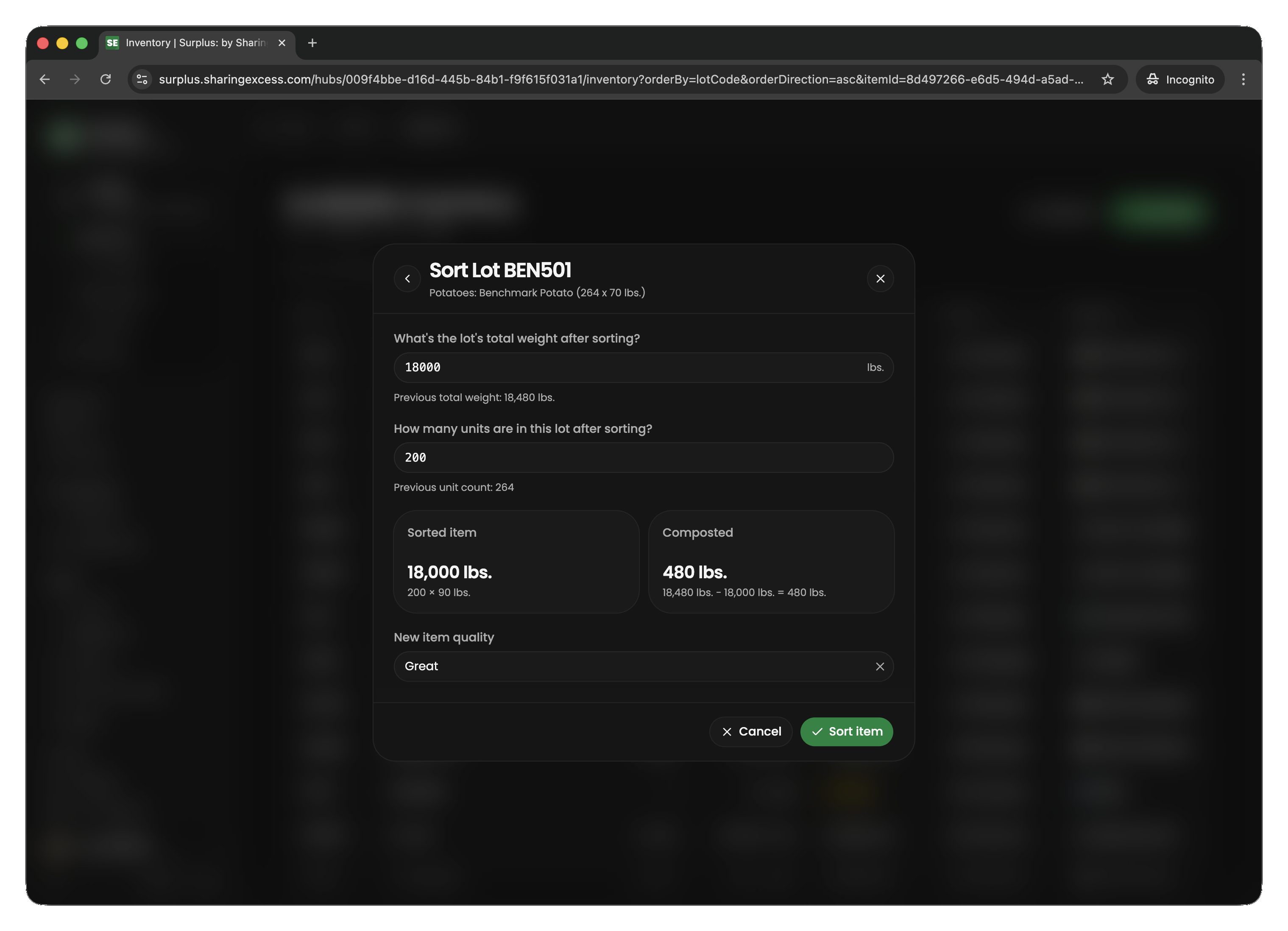
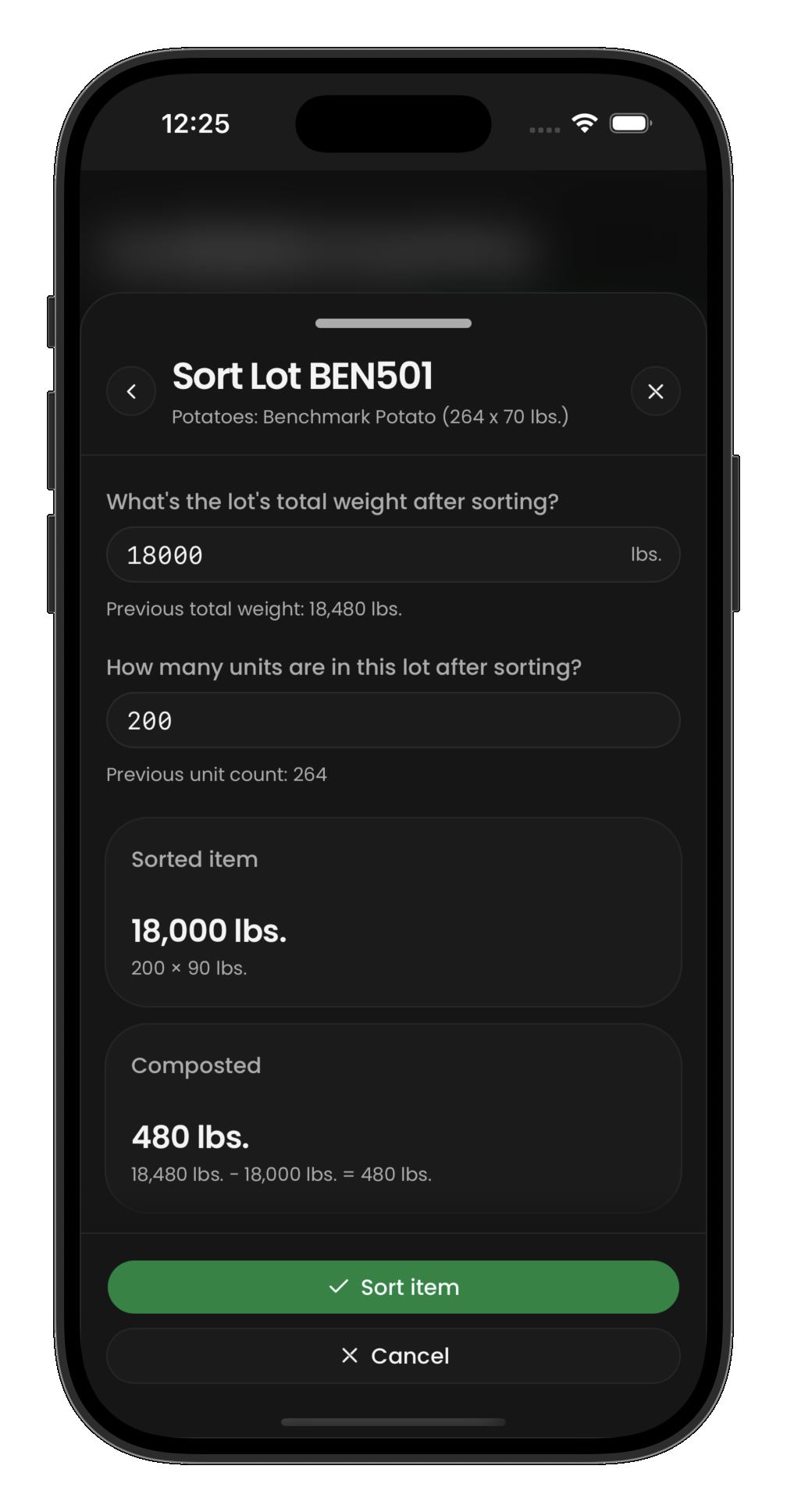
Sorting is the process of weighing the usable portion of a food item separately from waste (trim). When you sort:
- Open an active item in inventory
- Choose Sort
- Enter the sorted weight (usable portion)
- The difference between original and sorted weight is automatically recorded as compost/trim
After sorting
After sorting, the item is marked as isSorted and its weight reflects only the usable portion. The trim goes to the hub's configured compost partner as a completed compost event.
Compost and impact
Composted trim counts toward some program metrics (total weight, emissions, Est. waste cost savings) but not toward meals made possible or retail value — it was diverted from landfill but did not reach people as food.
Related guides
- Hub inventory overview — view items before and after sorting
- Analytics and reporting — how compost affects impact metrics